


Shaka Guide | GPS Audio Tours
4.81.21K Reviews
App Specs
- Version
- 9.2.4
- Updated On
- License
- Free
- Downloads
- 100,000+
- Developer
- Shaka Guide
- Categories
- Travel & Local
- Platform
- Android
Screenshots
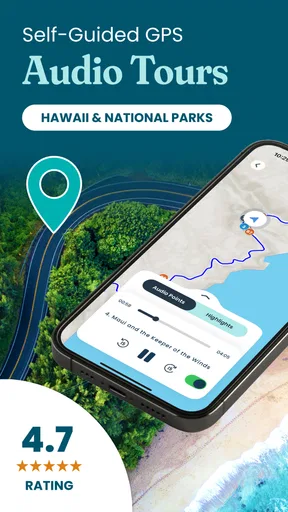

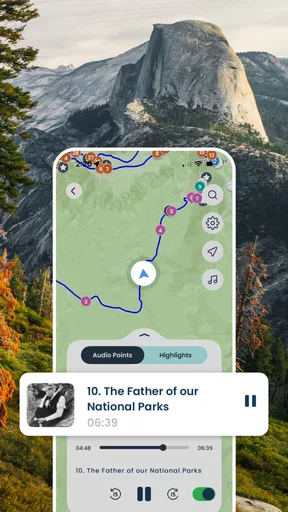
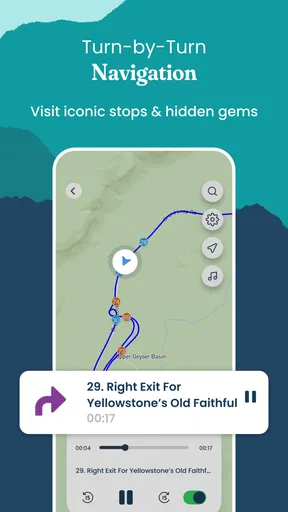
 Analysis by AppCompare
I like the idea behind Shaka Guide: instead of staring at a map and trying to decide what deserves a stop, you can let a location-aware narration add context as you travel. That makes it more than a set of directions, but it does ask you to plan one thing ahead: choose and download the tour before you set off. For a scenic drive where the route itself is part of the holiday, that trade-off makes sense. For a quick point-to-point trip, it may be more guidance than you need.
What a narrated route adds
On a road trip, a GPS audio guide can solve a small but familiar problem: the driver needs to watch the road, while passengers want to know what they are passing and whether it is worth stopping. Shaka Guide is built around that moment. Its narration is tied to your location, so the phone can provide a sense of sequence without requiring someone in the car to read directions aloud or research every landmark on the fly.
That approach is especially useful when the destination is unfamiliar and the points of interest are spread along a drive rather than gathered in one walkable area. The app focuses on places including Hawaii, Yellowstone, the Blue Ridge region, Yosemite and Arches. I would treat it as a companion for exploring those areas by road, not as a general-purpose city guide for every kind of trip.
The distinction matters when choosing between an audio tour and the usual navigation app. A standard map is better when the main goal is to reach a specific address efficiently. Shaka Guide is more appealing when you want the journey to include stories and optional stops. It can help turn a drive into an itinerary, but it is not a reason to ignore road signs, closures or your own judgment about conditions.
A better way to prepare for the drive
Downloading the selected tour in advance is more than a convenience when you expect weak reception: it is the step that makes the experience practical. I would do it while connected to reliable Wi-Fi, then open the tour before leaving and make sure the phone has enough battery for navigation and audio. That routine avoids discovering a download problem after the group is already in the car.
A useful planning trick is to agree on a rough stopping limit before starting. Suggested food, hiking and photo stops can make a route feel inviting, but every extra detour changes the day’s timing. If you have a dinner reservation or need to return the rental car, pick the stops that matter most rather than treating every suggestion as an obligation. The app can provide ideas; it cannot know your schedule or how long your group will linger.
For a family or a group of friends, I would also settle the audio setup before driving. A shared car audio system lets passengers hear the narration together, while headphones are a poor choice for the driver because they can distract from the road. If passengers want to chat, pause, or skip a stop, decide how the driver can manage that safely while parked. Hands-free narration helps, but it does not make phone handling while driving a good idea.
Worth Reading Before You Choose

Flipboard Shows What News Apps Must Do Beyond the Feed

Switching to Android Auto Means Rethinking Your Driving Routine

Google Calendar Makes a Crowded Week Easier to Manage

Ludo King Makes the Most of the Minutes Between Plans

Baby Panda World Brings Quick Play to Modern Phones, but Its Game Library Feels Busy

ESPN’s Live Game View Makes Following Close Games Easier
Where the flexibility helps—and where it costs time
The ability to move at your own pace is a genuine strength for travelers who dislike rigid tour schedules. A beach stop that turns into a long break does not have to feel like falling behind a group. The route can fit the day rather than forcing the day to fit a guide’s timetable, which is particularly valuable when weather, energy or children’s moods change plans.
That freedom has a counterpart: a self-guided tour gives you less human help than an in-person guide. There is no group leader to answer a follow-up question, adapt the commentary to your interests or take responsibility for keeping everyone together. If you enjoy asking questions as you go, want a guide’s company, or need a tightly managed excursion, a live tour may suit you better.
It is also worth remembering that a route suggestion is not the same as a guarantee that a stop is open, accessible or suitable for the conditions on the day. I would check current local guidance for road access and trail safety, especially in parks and mountain areas, and use the audio as background rather than as the final word. This is a travel companion, not a substitute for checking practical details.
Who will get the most from it
I would recommend the app to visitors who want more context than a navigation map provides but do not want to commit to a scheduled tour. It is a particularly natural fit for a couple sharing a long drive, a family looking for breaks that give children something to anticipate, or a solo traveler who wants narration without having to research every stretch of road. The strongest match is someone who enjoys stories and is willing to make a few decisions along the way.
It is less compelling if you already have a carefully researched route, prefer quiet drives, or mainly need turn-by-turn directions. Travelers who plan to spend most of their time in one city may get more value from a walking guide or local transit app. And if you are renting a car for a short transfer rather than a scenic outing, a regular map will usually be simpler.
Cost is another reason to decide tour by tour rather than assuming the whole experience is free. The app itself is free to download, while in-app purchases range from under a dollar to just under two hundred dollars per item. I would check the price of the specific tour before committing and compare it with how much of the route you expect to use. A paid audio experience makes more sense when it will shape a full day of exploring than when you only want a brief sample of commentary.
A practical choice for scenic travel
Shaka Guide is a free Travel & Local app from Shaka Guide, and its store profile shows a 4.8 average from around 2,100 ratings, with more than 50,000 installs. It is rated for Everyone and first appeared on April 8, 2022; version 9.1.6 supports Android 6.0 and newer. Those details make it straightforward to check compatibility, but the more important question is whether you want a narrated, stop-friendly drive rather than simple navigation.
The best everyday use case is easy to picture: you have a day free on Oahu, the group is unsure which roadside stops are worth the time, and reception may be unreliable once you leave busier areas. You download the route before breakfast, start the narration when everyone is settled, and use the suggested stops as a menu rather than a checklist. If the group is tired, you skip a detour; if a viewpoint holds everyone’s attention, you stay longer. That is where a flexible audio tour can feel more useful than a fixed itinerary.
My overall view is positive, with one clear condition: prepare before you drive and keep expectations realistic. The app’s 1,100 reviews suggest it has drawn substantial feedback, but a high average does not guarantee that every route or narration style will match every traveler. Some people want a quiet drive; others would rather ask a local questions or explore without prompts. I would choose this when the story of the road matters, and choose ordinary navigation when speed and simplicity matter more.
Hey there, fellow travelers! Have you ever been on a road trip and thought, "Wow, I wish I had a personal tour guide sitting right next to me"? Well, that's kind of what Shaka Guide | GPS Audio Tours feels like. I recently took it for a spin, and let me tell you, it's a game-changer for anyone who loves exploring new places but hates the hassle of planning every little detail.
Let’s Dive Into the Experience
So, here's the scoop. Shaka Guide is an app designed to give you a fully guided audio tour experience, using your phone's GPS to guide you to amazing spots. It’s like having a knowledgeable local in your pocket, ready to spill all the insider secrets of the area.
Getting Started
The first thing I noticed was how easy it is to get started. You just download the app, pick the tour you’re interested in, and boom—you’re on your way. The app is available on both Android and iOS, so no worries about compatibility. The interface is super user-friendly, and the design is sleek and intuitive.
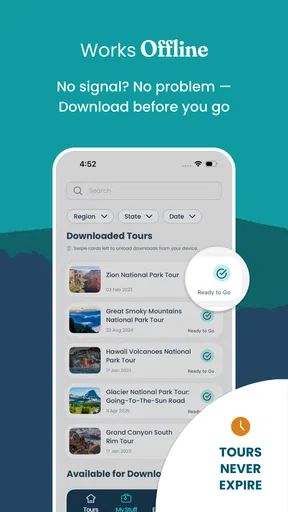
Once you pick a tour, you download it to your phone. This is perfect because it means you don't have to worry about having cell service during your trip. Just download the tour ahead of time, and you’re good to go. I loved this feature, especially when driving through areas with spotty reception.
The Tours
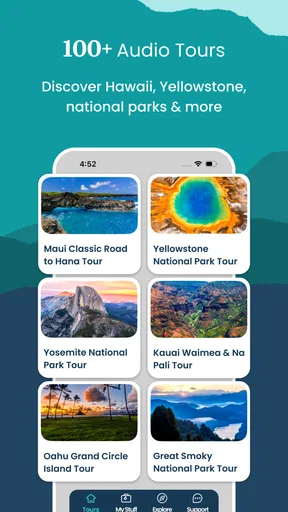
The variety of tours is pretty impressive. Whether you’re in Hawaii, California, or the Smoky Mountains, there’s a tour for you. Each tour is packed with interesting stories, historical facts, and local tips. I took the Oahu Circle Island Tour, and it was like having a personal narrator who knew all the best spots to stop and take in the view. Plus, the narration is engaging and fun—not like those boring audio guides you sometimes get at museums.
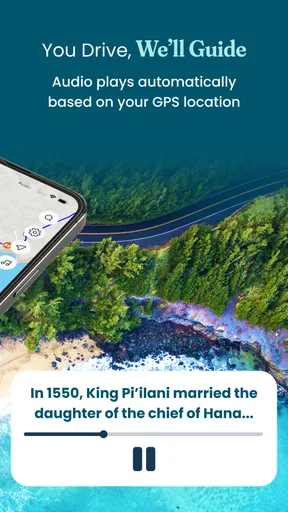
The app uses GPS to trigger the audio narration automatically as you drive, so you don’t have to mess around with your phone. It’s hands-free and lets you focus on the road and the scenery. It’s also great for families or groups because everyone can listen in and enjoy the experience together.
Features I Loved
One of the standout features for me was the offline map. Seriously, this was a lifesaver. I didn’t have to worry about missing a turn or getting lost because the map works offline. The app even gives you suggested stops for food, hikes, and photos, which I found super helpful.
Another thing I appreciated was the flexibility. You can start the tour whenever you want and go at your own pace. Want to spend an extra hour at a beach? Go for it. The app will pick up right where you left off.
Who Is It For?
If you're a traveler who likes a bit of structure but also values spontaneity, this app will be your new best friend. It’s perfect for solo adventurers, couples, and families. Even if you’re someone who typically plans everything down to the minute, I think you’ll appreciate the freedom and insights this app provides.
Wrapping Up
All in all, Shaka Guide | GPS Audio Tours is a must-have for anyone hitting the open road. It’s informative, entertaining, and incredibly convenient. It turns a regular road trip into a memorable adventure, filled with stories and discoveries. So next time you’re planning a trip, give it a try. You might just find yourself learning more about your destination than you ever expected.
Safe travels, and happy exploring!
Pros
- Provides offline access to tours.
- Engaging storytelling enhances experience.
- Covers multiple destinations in detail.
- Easy-to-follow GPS integration.
- Affordable pricing for quality content.
Cons
- Limited to specific geographic locations.
- Requires significant storage space.
- No real-time updates or alerts.
- Can drain battery quickly on long tours.
- Limited interaction with local guides.
FAQs for Shaka Guide | GPS Audio Tours
What is Shaka Guide and how does it work?
Shaka Guide is a GPS audio tour app designed to enhance your travel experience by providing guided tours. Once you download the app, you can choose from various tours based on location. The app uses GPS to automatically play audio commentary, offering insights and information as you explore. No internet is required after downloading the tour.
Do I need an internet connection to use Shaka Guide?
No, you don’t need an internet connection while using the tours. However, you’ll need internet access to download the app and the specific tours you’re interested in. Once downloaded, the tours work offline, which is especially useful in areas with poor or no internet coverage.
Is Shaka Guide suitable for all types of travelers?
Yes, Shaka Guide is designed to cater to a wide range of travelers, from solo adventurers to families. The app provides detailed insights and stories, making it educational and entertaining for both adults and kids. It's perfect for those who prefer self-guided tours at their own pace.
How user-friendly is the Shaka Guide app?
The Shaka Guide app is highly user-friendly. Its intuitive interface makes it easy for users to navigate through available tours and follow the suggested routes. The audio content is clear and engaging, ensuring a seamless experience even for those who are not tech-savvy.
What destinations does Shaka Guide cover?
Shaka Guide covers a variety of popular locations, especially within Hawaii, such as Maui, Oahu, Kauai, and the Big Island. Each destination offers multiple tours, allowing users to explore different areas and attractions in-depth. The app is continually expanding, adding new tours and locations.


